Starter Pro

The foundation for your next SaaS.

Auth.js, Stripe billing, Prisma and protected routes in one Next.js starter. Configure your providers, build your product logic and validate the integrations before launch.

Explore the product Read the docs
  • Full source code
  • Commercial usage rights

Starter Pro

Source code license

199 €One-time payment

Current launch price. Regular price planned at 299 €.

  • Auth, billing and database foundations
  • Full source, docs and production checklist
  • ZIP access through your claim email

Access follows payment confirmation and delivery processing.

  • Next.js
  • React
  • TypeScript
  • Tailwind CSS
  • Auth.js
  • Prisma
  • PostgreSQL
  • Stripe
  • Vercel
  • PWA
Explore the stack
Inside Starter Pro

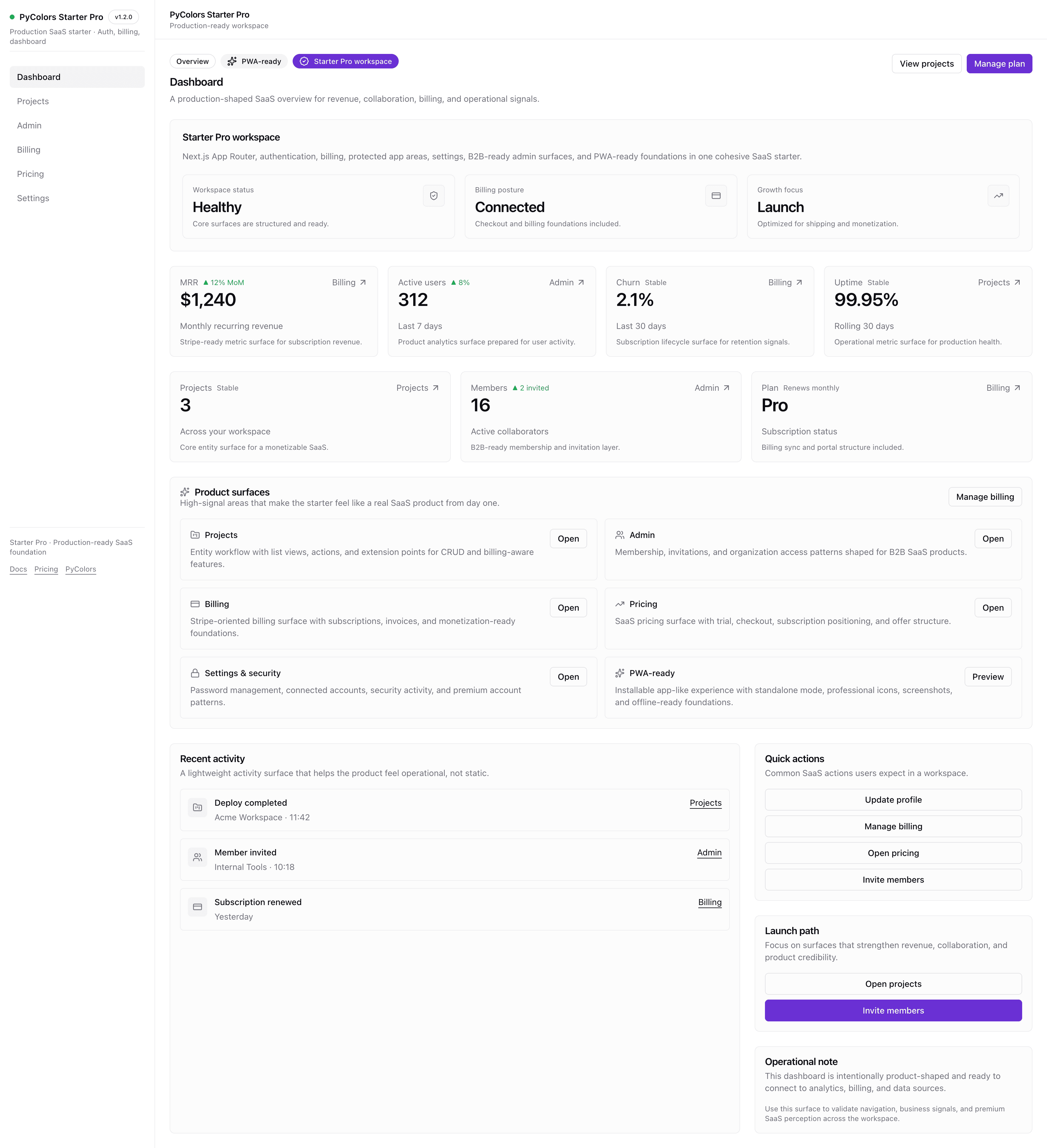
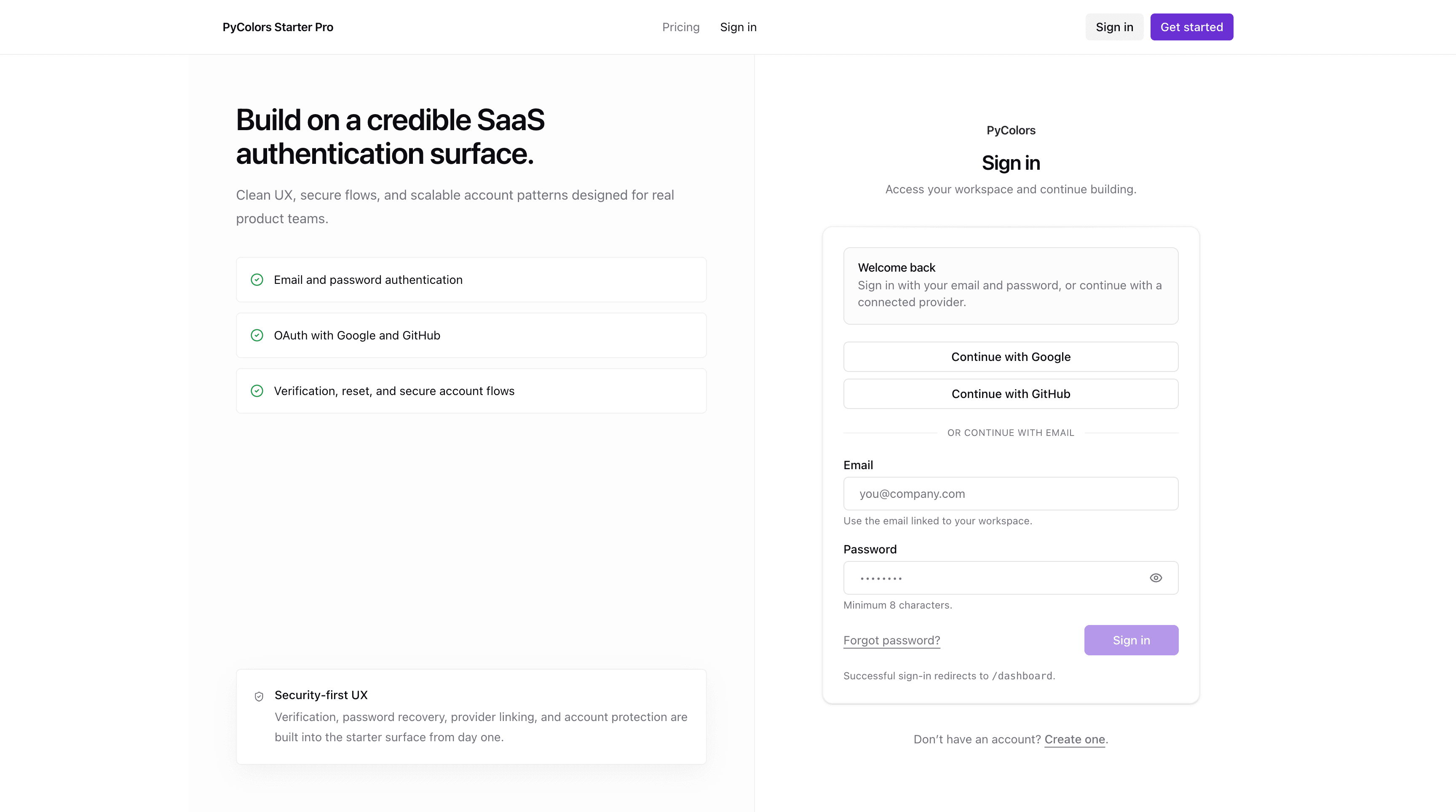
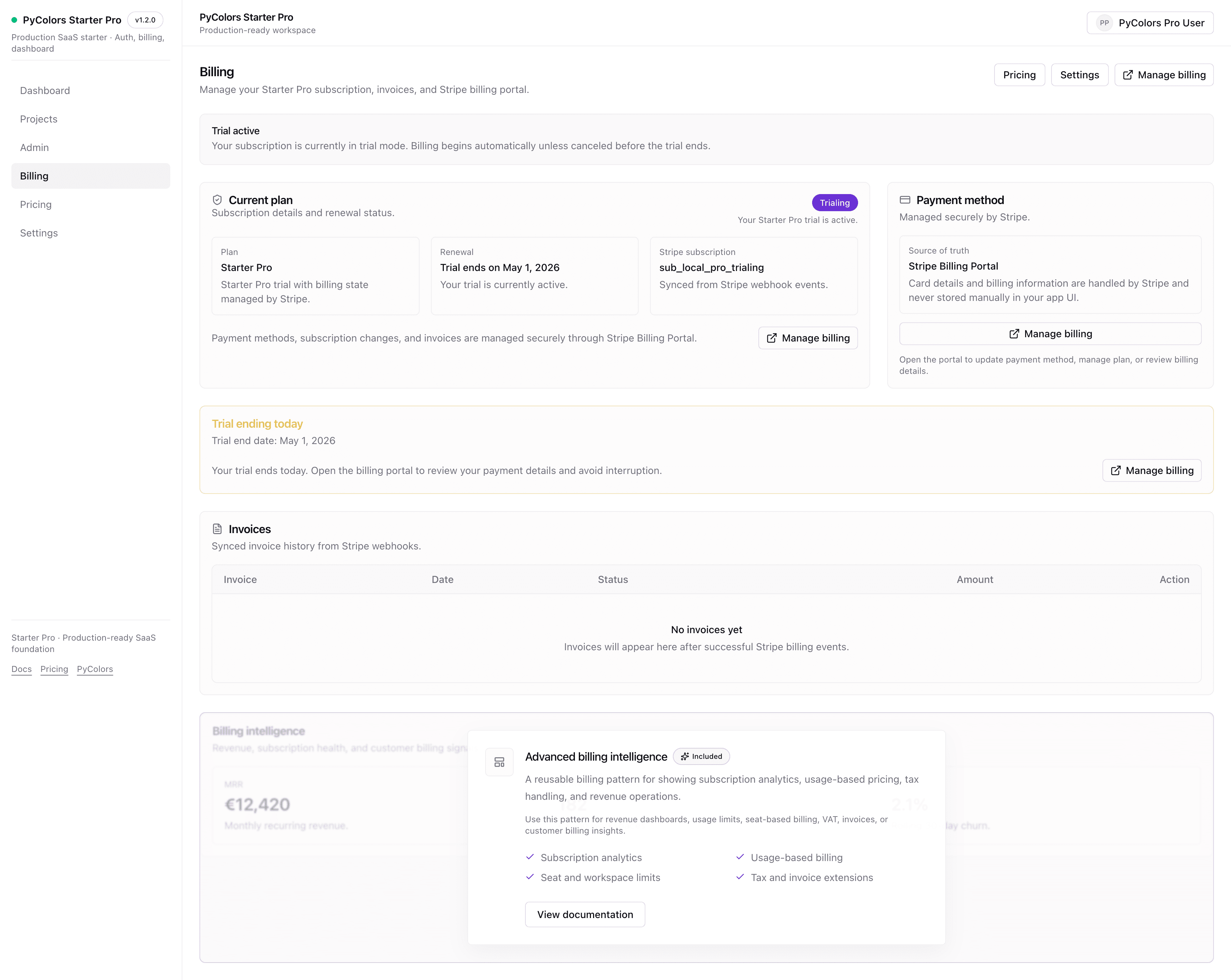
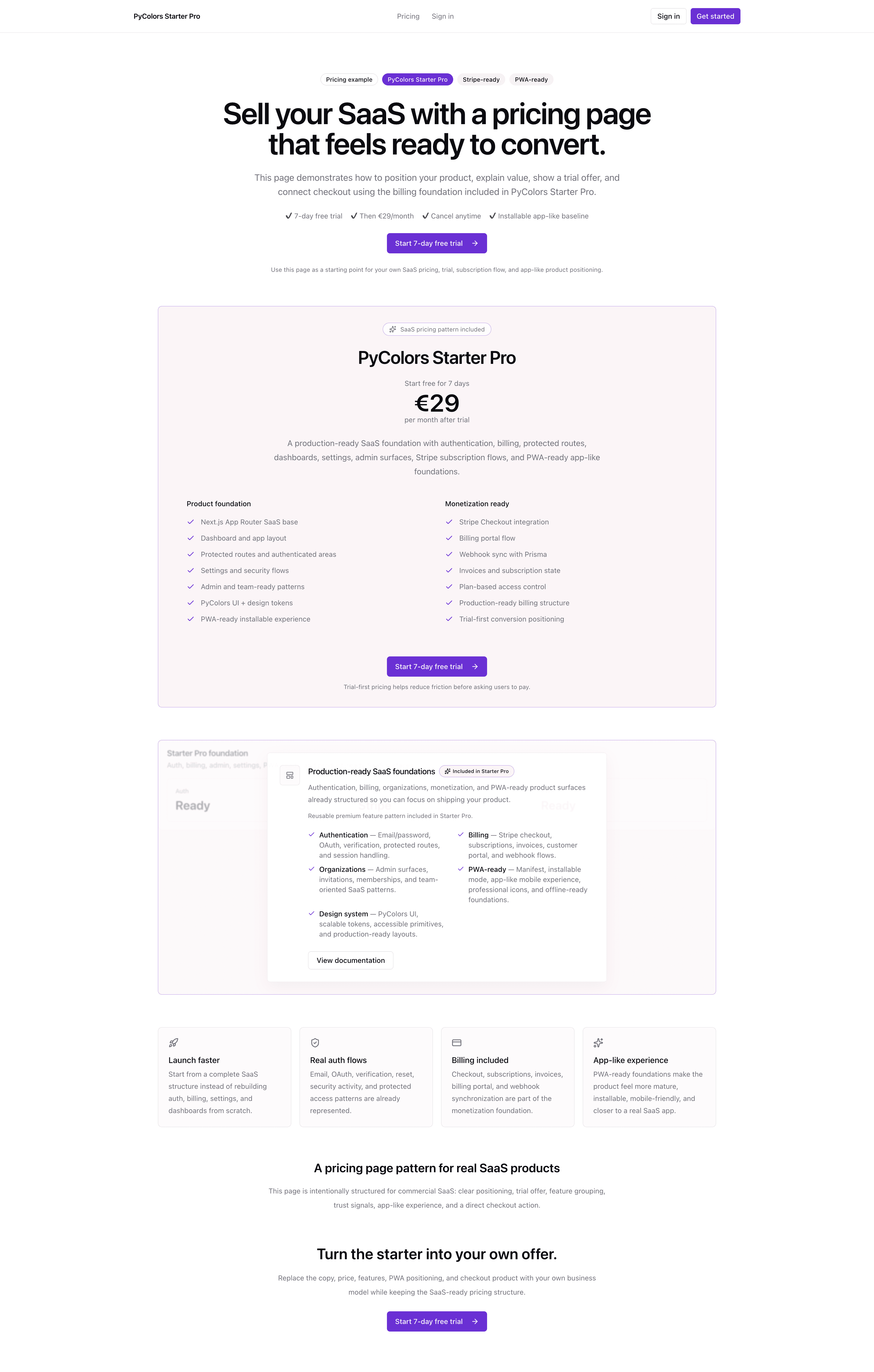
Inspect the screens you can build on

Explore the dashboard, account flows and billing interface. Each preview shows the foundation you can adapt to your product.

Existing Starter Pro captures in the light theme, including demonstration data. These interface previews do not demonstrate a completed payment, a verified integration, or a live production deployment.

What’s included

The recurring work, already connected.

Start with the account, billing and application foundations. Inspect what is included, understand the setup, then build your product.

CORE INTEGRATION

Authentication & access

Give accounts and sessions a clear foundation.

Integration overviewAuth.js
  1. Sign inEmail or OAuth
  2. SessionAuth.js
  3. AccessProtected routes

Included in the source

  • Email/password authentication
  • Google and GitHub OAuth
  • Email verification
  • Reset password flow
  • Session management
  • Protected routes
CORE INTEGRATION

Billing & subscriptions

Connect subscriptions to your application.

Integration overviewStripe
  1. CheckoutStripe Checkout
  2. WebhookSubscription events
  3. PlanProduct access

Included in the source

  • Secure Stripe Checkout integration
  • Stripe billing portal
  • Invoices and billing history UI
  • Webhook synchronization with Prisma
  • Subscription lifecycle handling
  • Plan gating and feature access control

Application & mobile

Responsive + PWA

Build on a responsive product interface.

  • Dashboard, settings, billing and admin UI
  • Installable PWA with manifest, icons and screenshots
  • Standalone mode and offline fallback
PWA guide

Source & architecture

Next.js + TypeScript

Inspect the code and adapt it to your product.

  • Full Next.js App Router source code
  • Strict TypeScript configuration
  • Tailwind CSS foundation
Included source

Data & configuration

Prisma + PostgreSQL

Organize persistence, forms and configuration.

  • Prisma schema and PostgreSQL setup
  • Zod validation and React Hook Form integration
  • Environment configuration foundations
Backend guide

Delivery & ownership

Source + License

Understand your package and access path.

  • Access recovery for your Starter Pro purchase
  • Starter Pro ZIP delivery via claim email
  • Commercial usage rights
Delivery guide

The PWA layer includes an offline fallback. Auth, billing and admin data stay online-first. Review the PWA setup and release checklist for your environment.

A fit for products with accounts and billing.

SaaS products, client applications and internal tools that need authentication, subscriptions and protected account areas.

Still exploring? Start with Free

You bring the product.

Build your own domain models, onboarding, business workflows and branding. Configure the providers and validate your complete customer journey before launch.

Review your launch responsibilities
Purchase & delivery

What you receive after purchase

A source package you can inspect and adapt, with a clear path to download it and recover access.

SOURCE PACKAGE

From checkout to your code.

  1. 01

    Payment confirmed

    Complete checkout with the email you want to use for access.

  2. 02

    Claim email

    Once delivery is processed, open the secure access link sent to your checkout email.

  3. 03

    Download the ZIP

    Unzip the source and follow the included documentation to set up your app.

Already purchased?

Recover your access

Your downloadable package

Your secure access link unlocks a Starter Pro ZIP with the full source code, documentation, and production checklist.

Claim email and purchase recovery

Missing the purchase email or using an expired link? Request a fresh access link with the email used at checkout. Eligible purchases can be recovered without creating an account or buying again.

Updates and access support

Future Starter Pro updates are included at no additional cost for existing buyers, subject to continued product availability. Purchase and access-recovery support is available. No response-time SLA is promised.

Commercial license and setup

Use Starter Pro for personal and commercial applications and modify the source for your own products. Redistribution, resale, sublicensing, or repackaging as a competing template or product is not permitted. The repository license remains authoritative. Setup requires dependencies, PostgreSQL, and environment variables for auth, billing, and email.

199 € · One-time payment · Full source code

Legal scope and usage terms are governed by /license and /terms.

Free vs Pro

Choose the starting point your product needs.

Explore the interface with Free. Move to Pro when authentication, billing and database integration become the next implementation step.

Same UI foundation. Different integration depth.

Scroll to compare
Compare Starter Free and Starter Pro
CapabilityStarter Free

Explore screens and validate your workflows.

FreePublic repository

Explore Starter Free
Starter Pro

Build on real auth, billing and database foundations.

199 €One-time payment

Plan the upgrade from Free
Product interfaceDashboard, projects, settings, and billing UI to validate your UX.SaaS app surfaces with auth and billing integration foundations.
AuthenticationMocked auth screens; no real account or session is created.Auth.js credentials, Google/GitHub OAuth, verification, and password reset; configure your providers.
Session and access checksUI structure only; add real session checks and authorization.Auth.js sessions and server-side guards; extend permissions for your product.
Stripe billingMock plans and invoices; no Stripe Checkout or customer portal integration.Checkout, customer portal, and webhook-backed subscriptions; configure and test your Stripe account.
Data persistenceMock product data and client-side state; add your persistence layer.Prisma + PostgreSQL foundations for auth and billing; wire your own domain data.
Mobile experienceResponsive web UI.Responsive UI plus installable PWA foundations; auth and billing stay online-first.
Source accessClone the public Starter Free repository.Download the ZIP through your purchase claim email; access recovery is available.
Work you still ownBuild the integrations and product logic, then deploy and operate your app.Configure and validate the integrations, build your product logic, then deploy and operate your app.

Before you launch

Starter Pro is source code, not a hosted service. You still configure PostgreSQL, auth, email, and Stripe, validate the integrations, and complete the production checklist. Buying Pro does not provision or deploy your app.

Review production responsibilities

Moving from Free to Pro

Stay on Free while validating screens and workflows. Choose Pro when real accounts and payments become the next implementation step. Bring your existing UI work across deliberately; buying Pro does not automatically migrate your app or data.

Getting started

Your source. Your environment. Your product.

Follow the documentation from your first local run to a validated customer flow. Setup depends on your environment and the providers you choose.

  1. 01

    Prepare your local environment

    Download and unzip the source, install dependencies and connect a local PostgreSQL database. Follow the requirements in your downloaded release.

    Getting started
  2. 02

    Configure your integrations

    Set up your authentication providers, email sender and Stripe test environment. Check sign-in, checkout and webhook handling with your own configuration.

    Billing test guide
  3. 03

    Build and validate your product

    Adapt the screens, connect your domain data and complete the production checklist before you deploy. You own the product logic and operation of your app.

    Production checklist

Configuration checklist

Prepare the services your app will use.

Runtime
Node.js and pnpm versions from your downloaded release.
Database
A local PostgreSQL database and Prisma configuration.
Auth & email
Provider credentials, session configuration and an email sender.
Payments
A Stripe test environment and webhook configuration.
Review setup
FAQ

Questions buyers ask before paying

Check setup, access, usage terms and the steps you still own before buying.

What should I prepare before local setup?
Review the Node.js and pnpm requirements in your downloaded release, prepare a local PostgreSQL database, and follow the environment guide for the integrations you want to test. Buying the source code does not provision your database, email sender, OAuth apps, or Stripe account.
How long before I can start?
After payment, use the secure link in your claim email to download and unzip Starter Pro, then follow Getting started. Payment confirmation and email delivery are separate steps. The first 30 minutes guide provides suggested checkpoints, not a setup-time or email-delivery guarantee.
What happens after payment?
Stripe redirects you to the confirmation flow. Once payment is confirmed and delivery is processed, use the access link sent to the checkout email to download the ZIP. If payment is uncertain, contact purchase support before paying again; recovery does not complete an unpaid checkout.
Do I own the source code?
You receive the full source code under a commercial license, not ownership of the underlying Starter Pro code. You retain your rights in the original code and content you create; the PyColors and third-party code remains subject to its licenses.
Can I use it commercially?
Yes. Starter Pro includes commercial usage rights under the PyColors license.
Can I use it for client projects?
One Starter Pro license covers one individual or legal entity and unlimited end products. Team members within the licensed organization may use the source. Client applications are permitted; a client needs their own license to access the Starter Pro source code.
Can I customize everything?
You may modify the source for your own products, including the UI, routes, copy, branding, product logic, and domain models.
What will I still need to build?
Your unique product logic, AI features, business workflows, branding, and domain models. Starter Pro provides the production foundation.
Is Starter Pro production-ready?
Starter Pro provides auth, billing, protected routes, database foundations, and launch-oriented product surfaces. You still need to configure your own environment and providers, validate the integrations, and complete the production checklist. A local first run is not a production launch, and buying the source code does not deploy or operate your SaaS.
Is Stripe already integrated?
Stripe Checkout, customer portal, invoices, webhooks, and subscription lifecycle flows are included. You still configure your own Stripe environment and validate billing in test mode before using production credentials. A rendered billing page alone does not validate payments.
Do I get future Starter Pro updates?
Future Starter Pro updates are included at no additional cost for existing buyers, subject to continued product availability.
What if local setup fails?
Email support covers purchase access, recovery, product scope, and setup questions on a reasonable-effort basis. No response-time SLA is promised. Custom development, deployment, consulting, and ongoing operation of your product are not included.
What if I do not receive my purchase email?
Check spam, then use purchase recovery with the checkout email. The confirmation does not prove an email arrived. If recovery still fails, contact support@pycolors.com with your purchase email and product name before buying again.
What is the refund policy?
Digital delivery does not automatically remove consumer withdrawal or conformity rights. Eligibility depends on applicable law and any valid digital-content consent. Read the terms for withdrawal conditions and how to request a refund or report a product problem.

Start from the foundation. Build your product.

Review the source, configure your providers and make Starter Pro your own.